Before you start, here's what you need to know:
- You must choose Parent as your account type when creating your free Brainly account.
- You can pair accounts only on Brainly Web, the website. At the moment, this feature is not available on the Brainly App.
- You can pair only two accounts, one Parent and one Student. If you have more than one kid on Brainly, you'll need a Parent Account for each. In the future, a Family Account will let you pair up with all your kids.
- An option for un-paring accounts is not available at the moment.
To pair your account with your child's account:
- Go to your Account Settings.
- Make sure your account type is a Parent account.
- Click on the tab Paired accounts on the left-hand side.
- Click on the COPY LINK button in the bottom right corner.
- Once the link is copied, send it to your child via email.
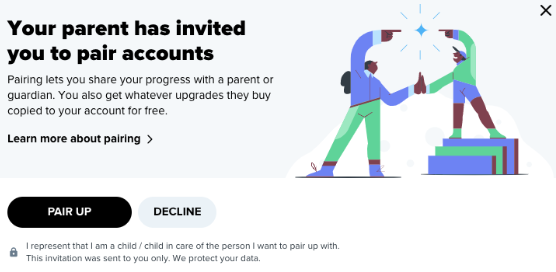
- When your child receives the link and clicks on the PAIR UP Button, both accounts should get paired.
Was this article helpful?
That’s Great!
Thank you for your feedback
Sorry! We couldn't be helpful
Thank you for your feedback
Feedback sent
We appreciate your effort and will try to fix the article