Please remember that to submit your account deletion request, you must be logged into your Brainly account on Brainly Web, not the App.
- Log in to your account on Brainly Web (Brainly.com)
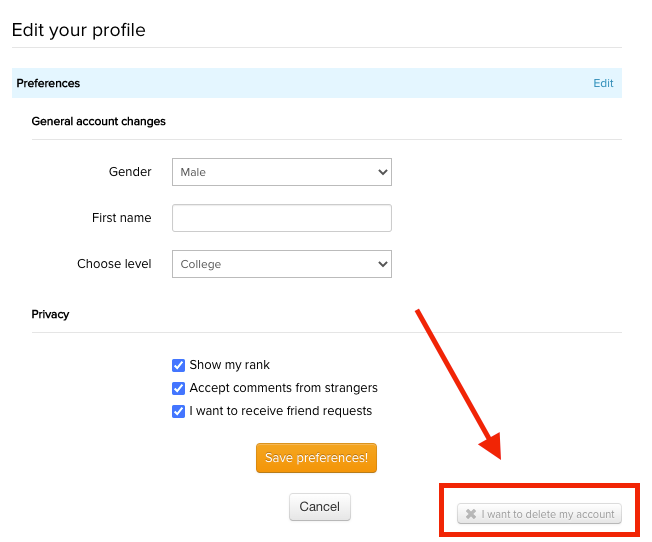
- Click on your avatar in the top right corner, and select Edit Profile
- Go to Preferences
- Click on the box labeled I want to delete my account.
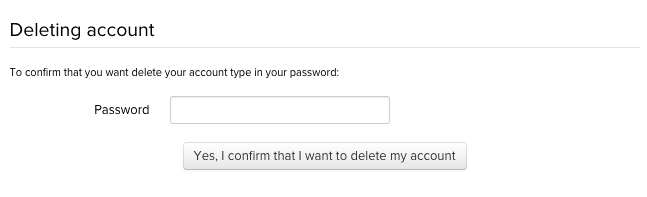
5. Confirm your password, and the request will be sent for the account to be deleted.
*If you are a subscriber, please keep in mind that deleting an account does not cancel subscription payments. Please cancel your subscription first before requesting your account be deleted.
**Please remember that due to GDPR regulations, we're unable to restore a previously deleted Brainly account. If you wish to rejoin the Brainly community, please create a new account on Brainly.com.
Was this article helpful?
That’s Great!
Thank you for your feedback
Sorry! We couldn't be helpful
Thank you for your feedback
Feedback sent
We appreciate your effort and will try to fix the article