Brainly Plus and Brainly Tutor subscriptions will renew periodically, depending on your subscription plan. If you want to cancel, be sure to submit your cancellation request at least 24 hours before the subscription renews. You'll receive an email cancelation confirmation if you cancel your subscription successfully.
Please remember that uninstalling the Brainly app or deleting your account will not cancel your subscription purchased via the App Store.
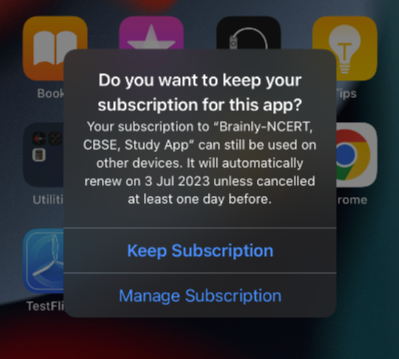
To cancel your subscription activated through App Store, simply:
- Open the App Store
- Click on your profile icon
- Tap on Subscriptions
- Click on Brainly app and tap Cancel Subscription
- Once your cancelation is successful, you'll receive a confirmation email from Apple
Once your subscription is cancelled, it will remain active until the end of your plan, but it will not auto-renew. When your subscription ends, you'll still have access to all your previous questions and answers, but your account will be reverted to the free version of Brainly.
Please remember that cancelling your subscription does not entitle you to a refund for your previous usage of Brainly subscription.
Was this article helpful?
That’s Great!
Thank you for your feedback
Sorry! We couldn't be helpful
Thank you for your feedback
Feedback sent
We appreciate your effort and will try to fix the article