Before you start, it's important that you know that each question can receive up to two answers. After a user adds the first answer, another user only has two hours to add the second one. When time's up, the question is closed, and cannot receive any more answers.
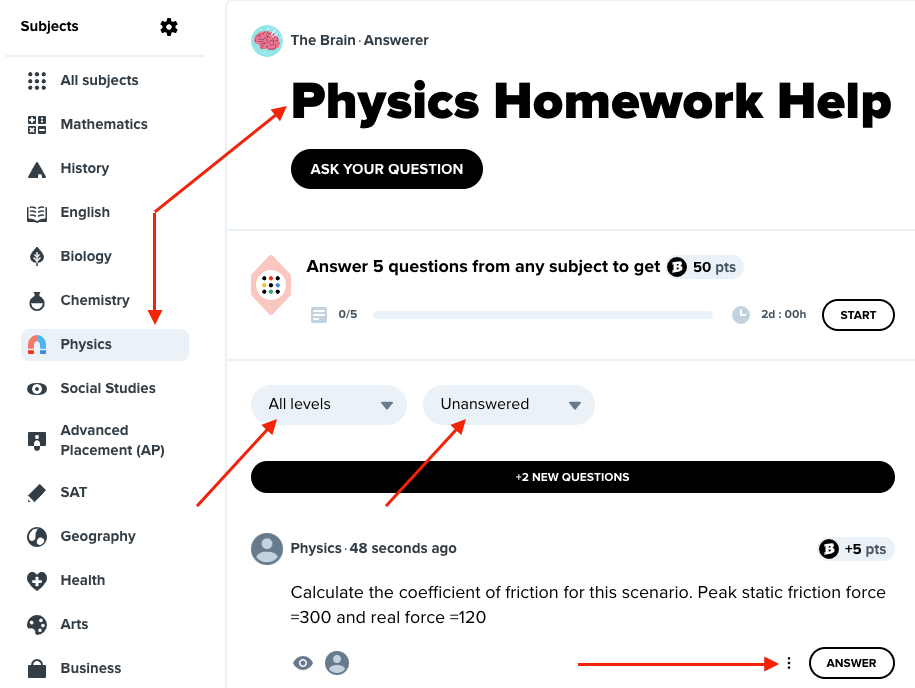
OK, ready to start answering questions? You can filter your search by:
- subject by clicking on the list of Subjects on the left
- grade level (Middle School, High School, College)
- status (All, Unanswered, Being Answered, Answered)
When you find the question you’re interested in, click on the ANSWER.
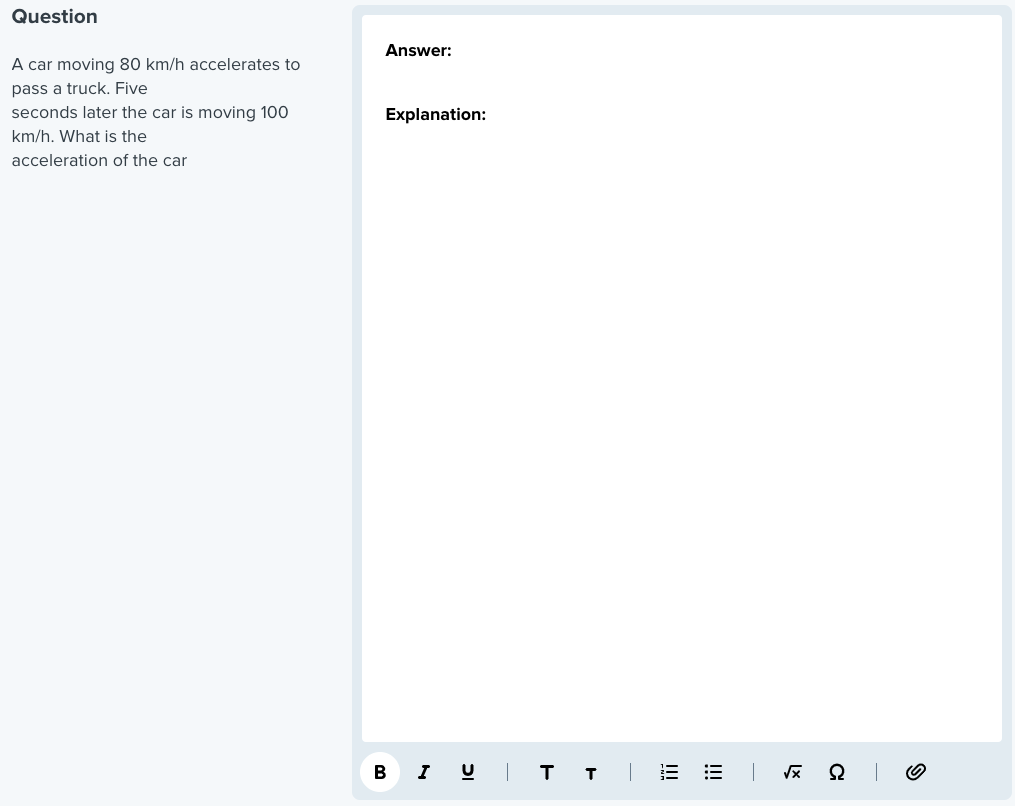
Remember to use the tools at the bottom of the answer box to add special characters, mathematical equations, a picture, or an attachment. Attachments can provide the reader with additional information, allowing for a better understanding of your answer. You can upload up to 5MB in JPG, GIF, or PNG format.
And never forget to provide an explanation. Great answers allow other users to understand why and how you come up with your answer.
Was this article helpful?
That’s Great!
Thank you for your feedback
Sorry! We couldn't be helpful
Thank you for your feedback
Feedback sent
We appreciate your effort and will try to fix the article